


Uzcard and Humo card monitoring
Uzcard and Humo expense tracking — automatically
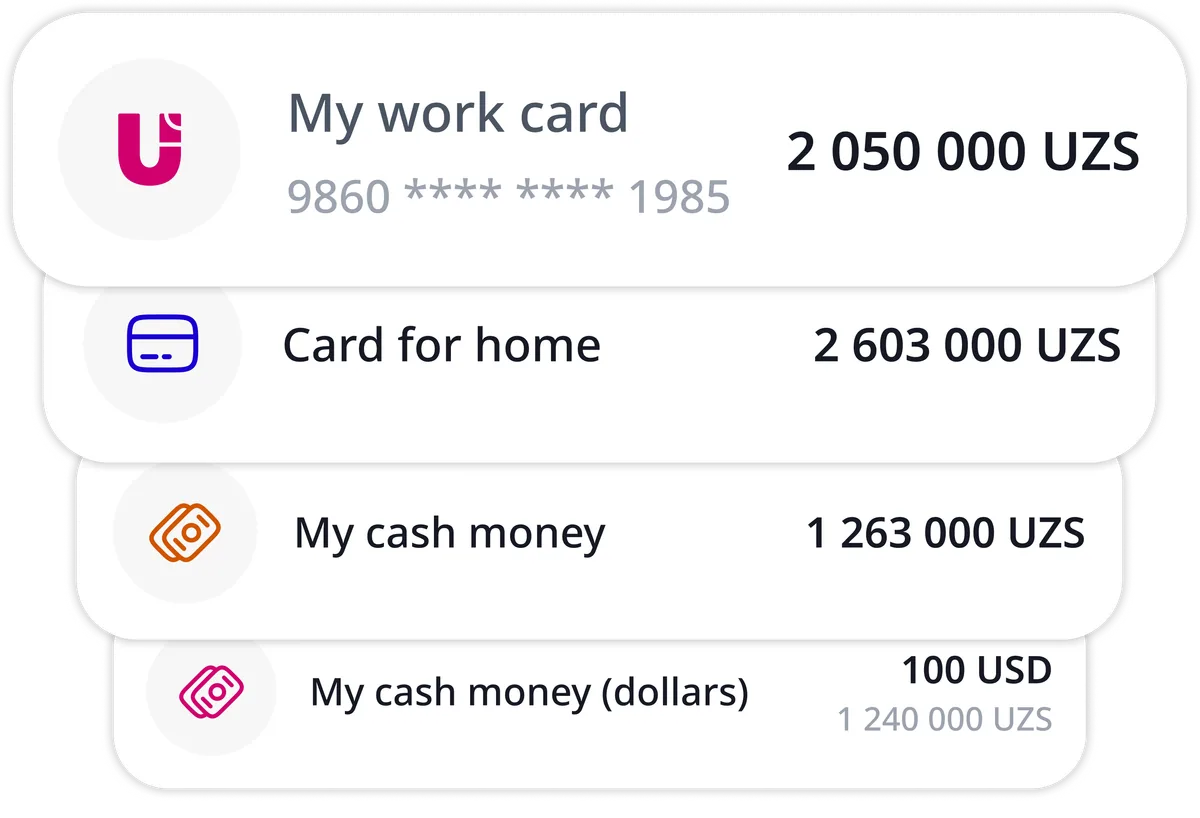
Karmon AI keeps a record of what you spend with your Uzcard, Humo and co-badged cards, without you typing in a single transaction. Link a card once, and its purchases and incoming payments show up in the app on their own, already sorted into categories.
No more switching between banking apps and adding up numbers in your head. Every card, your cash and your savings sit in one place, with a clear picture of where your money goes each month.
Card monitoring costs 5,000 UZS per card a month, and Premium includes free months. Manual tracking is free.
How card monitoring works
Three steps and a couple of minutes, and your card spending starts tracking itself.
Link your Uzcard, Humo or co-badged card
On the Accounts screen, enter the card number and expiry date, then confirm with the SMS code sent to the phone number linked to the card. The balance comes straight from the processing center, and you can link several cards and give each one a name you will recognise at a glance.
Transactions arrive on their own
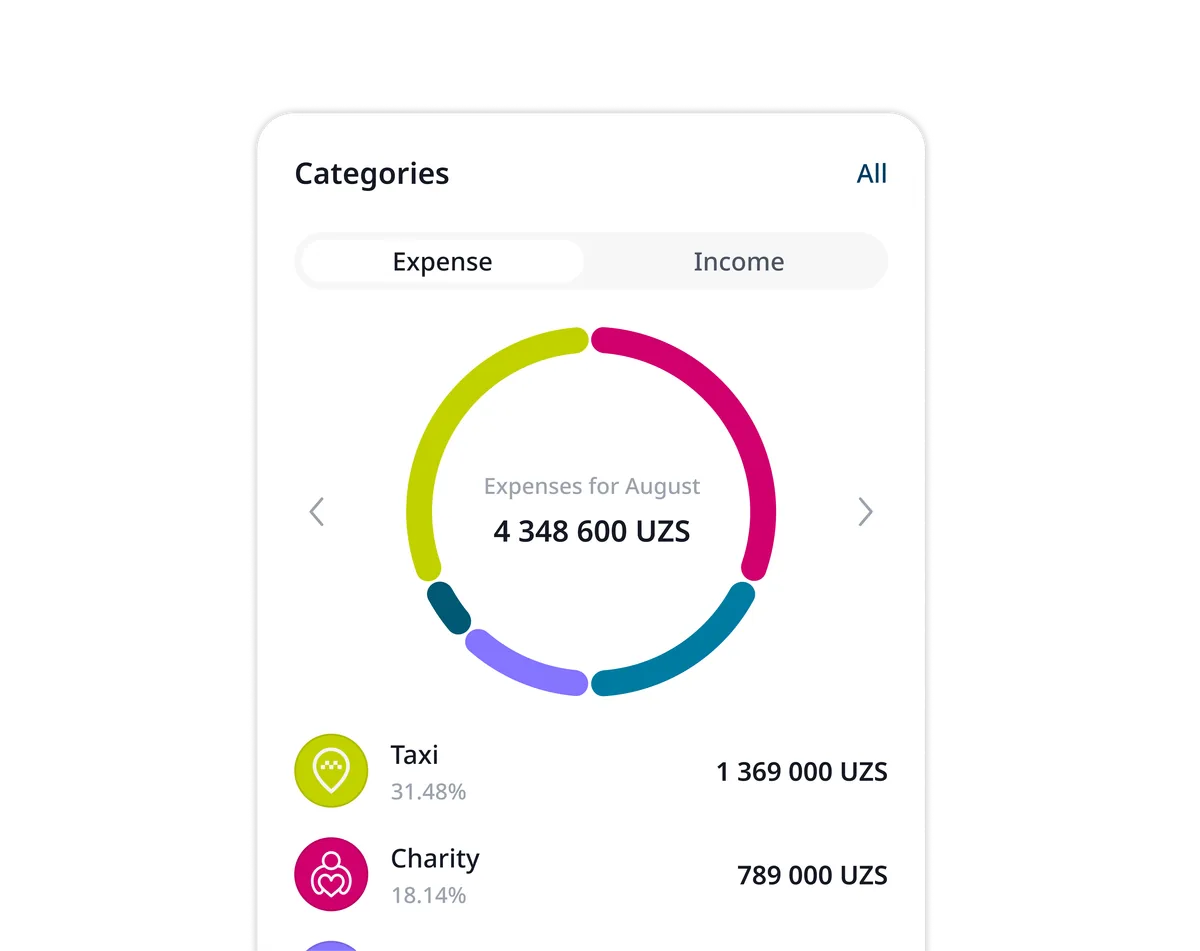
Linked cards sync about every 15 minutes, so new purchases and incoming payments appear without any typing. Each one gets a category, such as groceries, transport, cafés or utilities, based on the merchant name, its MCC code and the choices you have made before. Change a category once and similar payments follow.
See where your money goes
Open statistics (Premium) to compare categories, spot the expenses that grow month after month and decide where to cut back. Your card data sits right next to the debts and goals you already track.
What Karmon AI does with your card data
Card transactions are only the start. Here is what the app turns them into.
Categories that learn from you
Every card transaction gets a category from the merchant name and MCC code. When you correct one, the app remembers your choice for similar payments, so the sorting gets closer to the way you think.
All cards in one balance
All your Uzcard, Humo and co-badged cards, plus cash, bank accounts and manual cards, add up to one total balance. You always know how much you really have, not just what is left on one card.
Ask Karmon Intelligence
Karmon Intelligence, the AI chat in Premium, answers questions about your own money by text or voice: ask “How much did I spend on cafés this month?” and get the amount with a chart. Statistics break the same data down by category and month.
Budgets, AI reports and a health score
Set budgets that alert you at 80% and 100% of the limit, get a weekly AI report every Monday and follow your financial health score from 0 to 100, based on savings, debt-to-income, budgets, your emergency buffer and goals. Budgets and the weekly report are part of Premium.
What card monitoring costs
Card monitoring is available on any plan: 5,000 UZS per card per month, renewing automatically. Premium includes free monitoring months that are used first: 1 with Monthly, 12 with Yearly, and the longer the plan, the more you get. Recording income and expenses by hand is always free.
Card monitoring
5,000UZSper card a month
On any plan, Free included. Renews automatically; cards sync about every 15 minutes
Premium Monthly
37,000UZSper month
Includes 1 free monitoring month
Premium Yearly
Best value290,000UZSper year
Includes 12 free monitoring months: 12 cards for a month or 1 card for a whole year
Past-year history
12,000UZSper card, one-time
Optional: import the last 365 days of a card’s transactions
Your data and your money stay safe
Linking a card should never feel like a risk. Here is what we commit to.
You control your devices
The “Active devices” screen shows every device signed in to your account, and you can sign any of them out at any time.
Stored in Uzbekistan
Your data is kept on servers located in Uzbekistan.
Never shared
Karmon AI does not share your personal information with third parties.
We never touch your money
Karmon AI is a personal finance tool. It does not hold, move or process your funds: payments and cards are operated by Uzcard, Humo and your bank.
Card monitoring FAQ
Is Uzcard and Humo card monitoring free in Karmon AI?
Monitoring costs 5,000 UZS per card per month on any plan, including Free, and renews automatically. Premium comes with free monitoring months that are used first: Monthly (37,000 UZS) includes 1 and Yearly (290,000 UZS) includes 12, for example 12 cards for one month or one card for a whole year. The Weekly plan has no free months. Tracking income and expenses by hand is free.
Which cards can I connect?
Uzcard and Humo cards, the two national payment systems of Uzbekistan, and co-badged cards: Uzcard or Humo cards that also carry Visa, Mastercard or UnionPay, connected through their Uzcard or Humo side. You can also add cash, bank accounts and manual cards, and see everything together in one total balance.
How often do card transactions update?
Linked cards sync about every 15 minutes. If you want your earlier spending too, you can import the past 365 days of a card’s history once, for 12,000 UZS per card.
Can Karmon AI move money or make payments from my card?
No. Karmon AI only helps you track and analyse your finances. It does not hold, move or process your money; payments and cards are operated by Uzcard, Humo and banks.
Is it safe to link my card?
You link a card with its number and expiry date and confirm with the SMS code sent to the card’s phone number. Your data is stored on servers in Uzbekistan and not shared with third parties. Karmon AI never holds your funds.
Can I use Karmon AI without linking a card?
Yes. On the free plan you can add income, expenses and debts manually, and you can switch on card monitoring whenever you want.
Let your card spending track itself
Download Karmon AI, link your Uzcard, Humo or co-badged card and see this month’s spending without typing in a single number.
Download the app